Skip to content

Pikachu Jet TW merchandise

Discover our brand-new merchandise onboard and in our online shop.

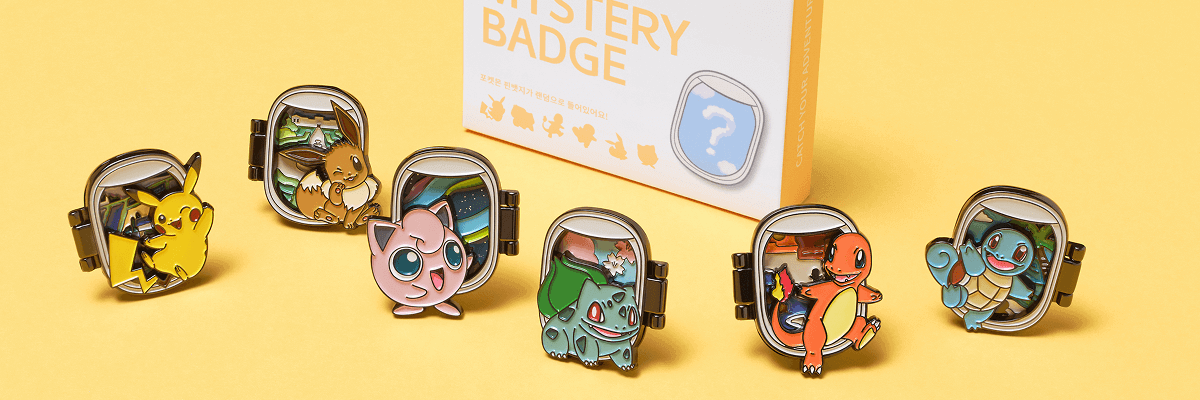
₩ 12,000​

Catch Your Mystery Badge

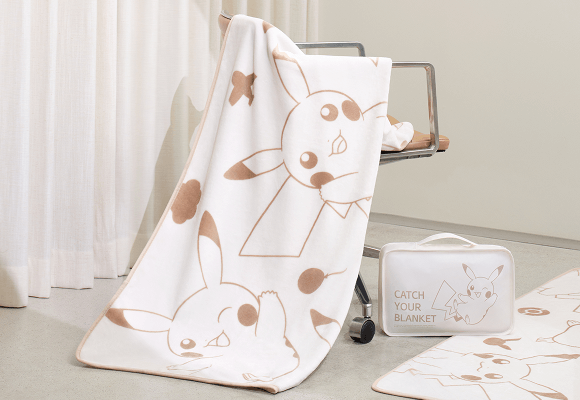
₩ 18,000

Catch Your Blanket​​

₩ 45,000​

B737 Model Aircraft (1:200)​​​

Convenience store payment guidelines

How to make payments at the convenience store

STEP 01

Select [Convenience store payment] in flight ticket payment

STEP 02

Receive the information required for convenience store payment (booking number, receipt number) via the contact information (email, SMS) entered at the time of reservation

STEP 03

Visit a nearby convenience store (GS25, 7-Eleven, CU) to check your booking number and make the payment

STEP 04

Complete your flight booking and check booking details in [My bookings > Confirmation required]

Close layer

Payment by cash deposit guidelines

How to make payments by cash deposit

STEP 01

Select [Cash deposit] during flight ticket payment

※ Cash deposit payment is unavailable during bank maintenance hours

STEP 02

Receive booking number, virtual account, and amount information

STEP 03

Make payment to the provided virtual account
※ Flight tickets will be automatically issued within 1 hour after payment is made (Booking details can be viewed in [My bookings > Confirmation required])

STEP 04

Payment and flight ticket issuance complete
(Booking details can be viewed in [My bookings > Normal])

Close layer